How to Use Nano Banana in Photoshop for Free
Learn how to use Nano Banana (Gemini 2.5 Flash Image) in Photoshop for free using the Pablo plugin with your own Google API key, saving hundreds compared to Adobe's subscription costs.

This promotion has ended. As of March 7, 2026, Google's $300 free cloud credit can no longer be applied toward Gemini API usage, which includes Nano Banana image generation. The credit is still available for other Google Cloud products. The steps below are no longer applicable, but you can still connect your own Google API key to use with Pablo.
If you're a Photoshop user, you've probably already used Nano Banana (officially known as Gemini 2.5 Flash Image). The results are impressive, but there's a catch: using Nano Banana in Photoshop through Adobe's system can cost from $34.49 per month (with very limited credits) to over $100 per month for the full Creative Cloud Pro plan.
Here's the good news: you don't need to pay Adobe's premium prices to use Nano Banana in your Photoshop workflow. By using the Pablo plugin with your own Google API key, you can generate with Nano Banana for free.
In this guide, you'll learn how to claim your free Google credits and connect them to Pablo, giving you thousands of free Nano Banana generations without breaking the bank.
Getting $300 in Free Google Cloud Credits
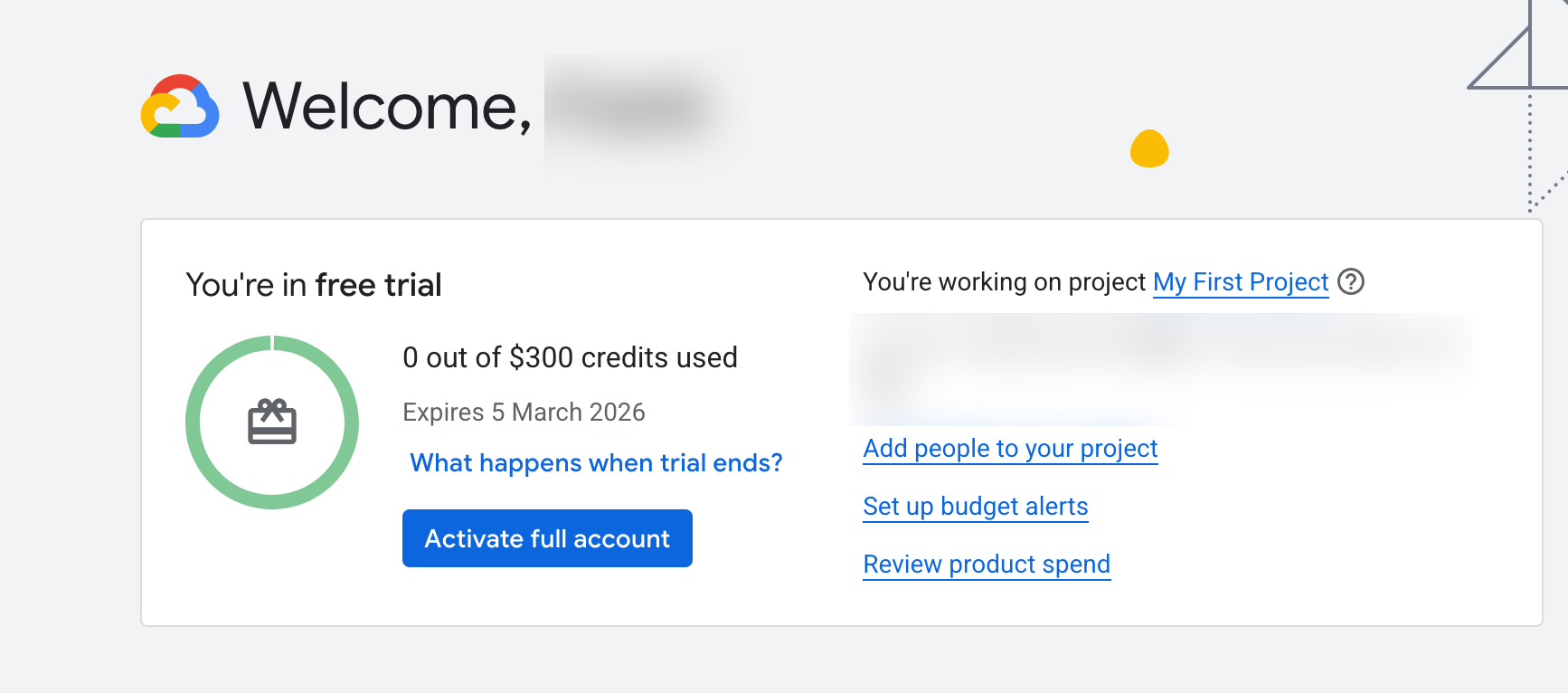
Google makes it easy for new users to explore their cloud services without any upfront cost. New Google Cloud customers receive $300 in free credit to use across Google Cloud products.
What most people don't realize is that Gemini, and therefore Nano Banana, uses these same credits. While Google promotes these credits for exploring their broader cloud infrastructure, the Gemini API that powers Nano Banana draws from the exact same $300 credit pool. This means you can use your entire free credit allocation for AI image generation instead. You won't be charged until you explicitly upgrade to a paid account.
The Cost Comparison
Here's how the costs compare when using Nano Banana in Photoshop:
| Approach | Annual Cost | Credits/Generations |
|---|---|---|
| Photoshop (standalone) | $413.88 | 25 credits/month = ~2-3 generations/month |
| Creative Cloud Pro | $1,259.88 | 4,000 credits/month = ~400 generations/month |
| Pablo + Google API Key | $0 (just $19 one-time) | ~7,500 generations with $300 free credit |
Pablo offers a completely different pricing model than Adobe that puts you in control. The plugin itself is a one-time payment (about $19). With your $300 Google Cloud credit, you can generate thousands of images. No subscription required! This works out to roughly 7,500 generations before you'd need to add more credits. For comparison, that's what would take you over 600 years to generate with Adobe's 25-credit monthly limit.
Step-by-step: Claiming Your $300 Free Credit
Create your Pablo account and install the plugin
- Visit trypablo.com/account/choose-a-plan
- Enter your details and click 'register'.
- Visit trypablo.com/download and follow the instructions
Sign up for the Google Cloud credits
Getting your free Google Cloud credits is straightforward:
- Go to cloud.google.com/free
- Click "Get started for free"
- Sign in with your Google account (or create one if needed)
- Fill out the registration form and accept the terms of service
- You'll receive your $300 credit automatically
Getting Your Gemini API Key
Once your Google Cloud account is set up, you need to generate an API key to connect Pablo to Google's services:
- Go to aistudio.google.com/apikey
- Click "Create API key"
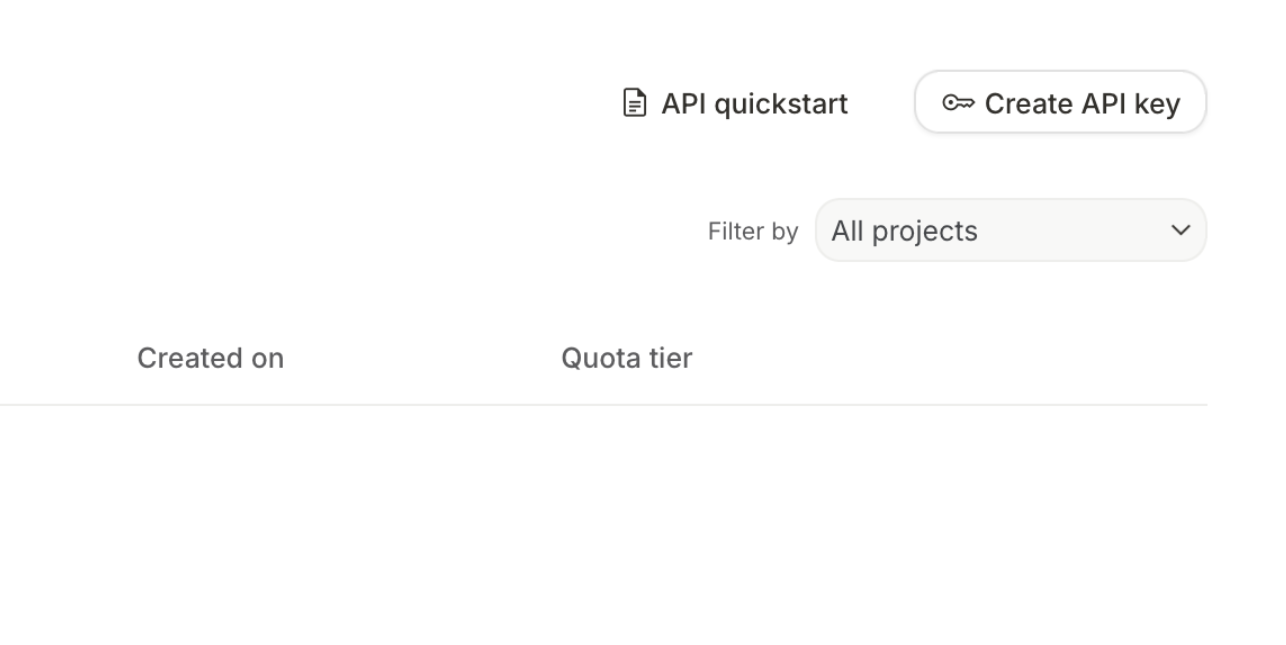
- Under 'choose an imported project', click 'import project'
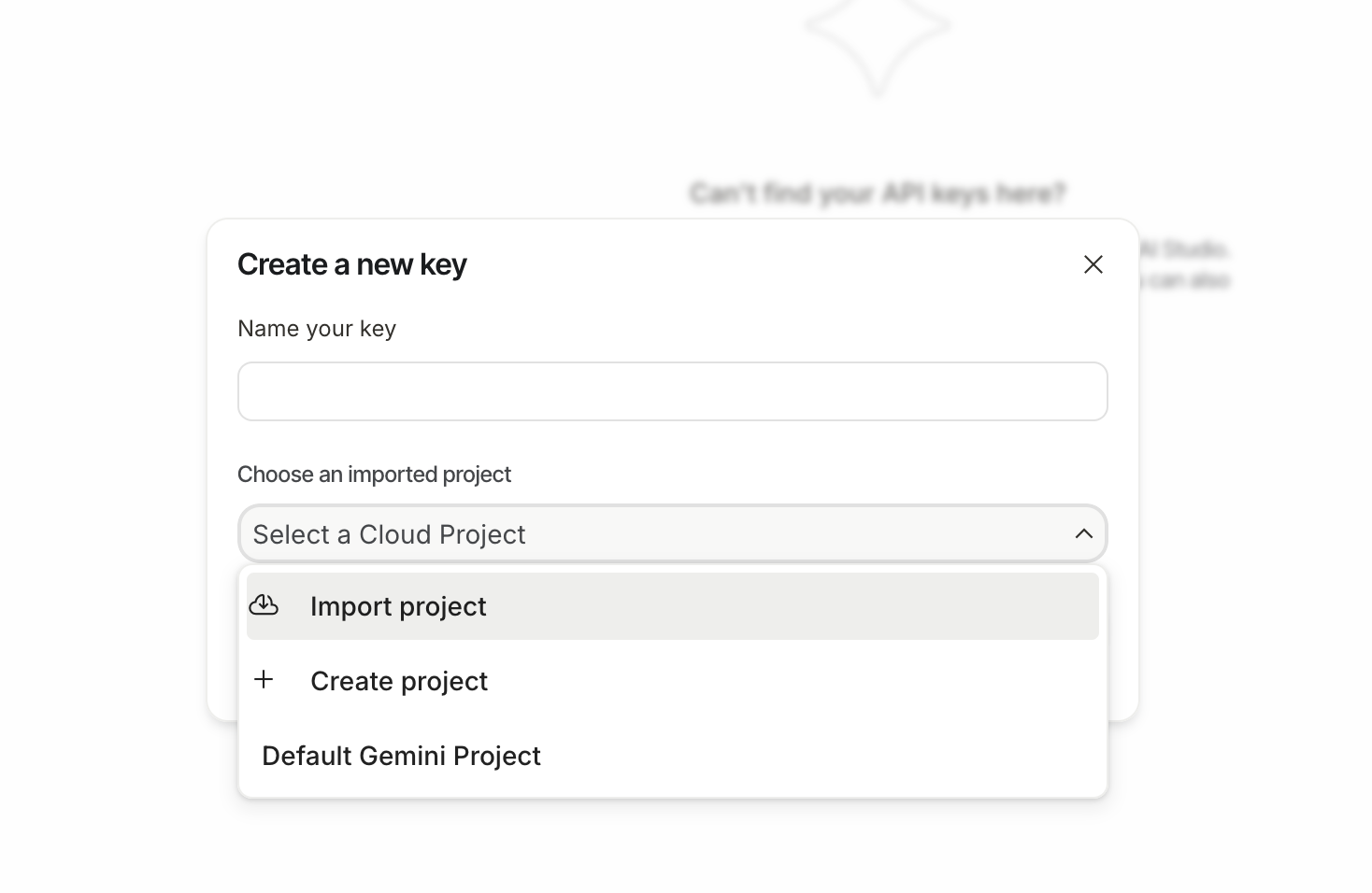
- Check 'my first project' from the options and click 'import'
- Name your key and click 'Create key'
- Copy your API key
Keep your API key safe. Anyone with access to your key could use your project's quota and credits.
Connecting Your Google API Key
Now comes the important part, connecting your Google API key so Pablo uses your free credits:
- Go to trypablo.com/account/providers (login if you have to)
- Toggle 'Google' to on
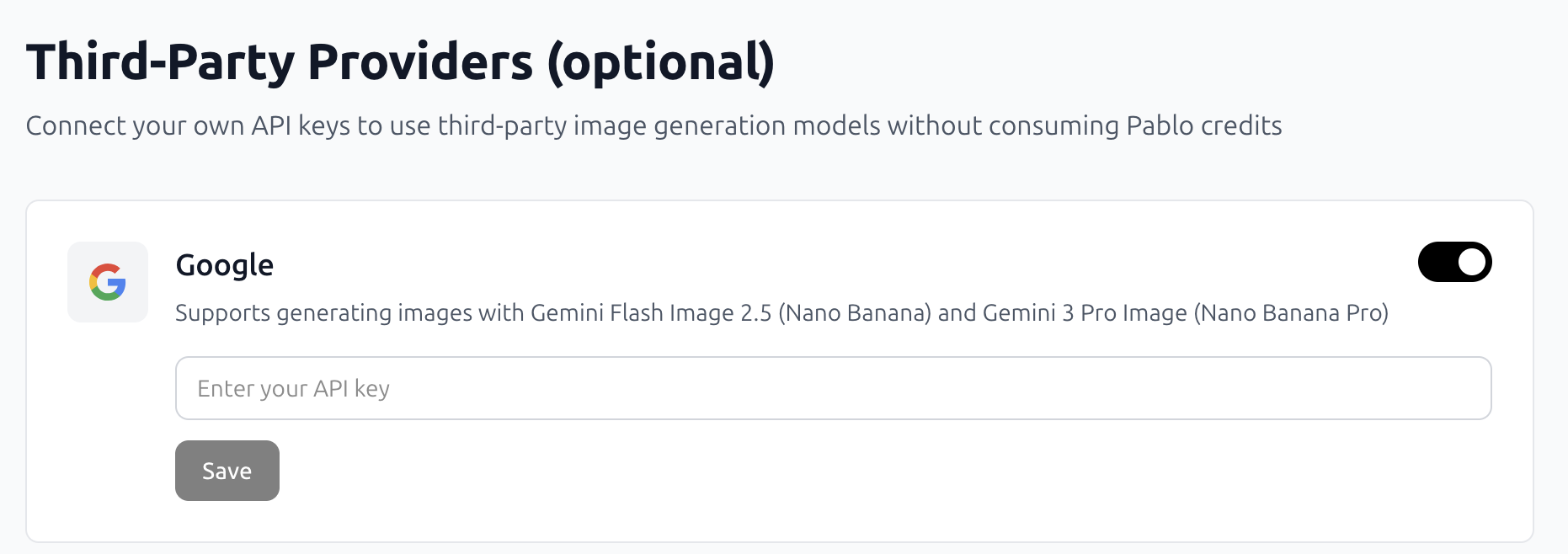
- Paste your Google API key from the previous step
- Click 'Save'
Once connected, Pablo will use your Google Cloud credits instead of its own payment system. This means every generation you create will draw from your $300 in free Google credits.
Wrapping Up
That's it. You now have access to one of the most powerful AI image models directly in Photoshop for free.
By combining Pablo with your own Google API key, you've unlocked thousands of free Nano Banana generations in Photoshop. The $300 in free Google Cloud credits gives you the freedom to experiment, iterate, and create without worrying about running out of monthly credits or racking up subscription fees.